A Guide to Technical Drawings in Fashion
Technical fashion drawings are crucial in product development. They’re the bridge between your ideas and production reality, and that means it’s important to get them right. But with the right process, you don’t need lots of technical expertise to produce a good quality technical drawing for your garment.
In this blog, we’ll walk you through the process of creating a detailed technical fashion drawing using industry-standard CAD software. If you’re new to CAD sketches and have concerns or questions, this guide is a great starting point.
What is a technical drawing in fashion?
In the fashion industry, technical drawings are simple, clear diagrams that manufacturers can use to construct garments. They’re sometimes referred to as CAD sketches, flat sketches or technical flats. They show the design, seams and stitching clearly.
Technical fashion drawings are black and white. They show what the garment would look like laid out flat, rather than on a body. It’s the perfect guide to showcase the garment and all of its elements.
They’re different from fashion sketches, which tend to show how the garment would fit on a body, and are sometimes in colour. These are also often called floats, because they look like the garment is floating.
How is a technical drawing used in fashion?
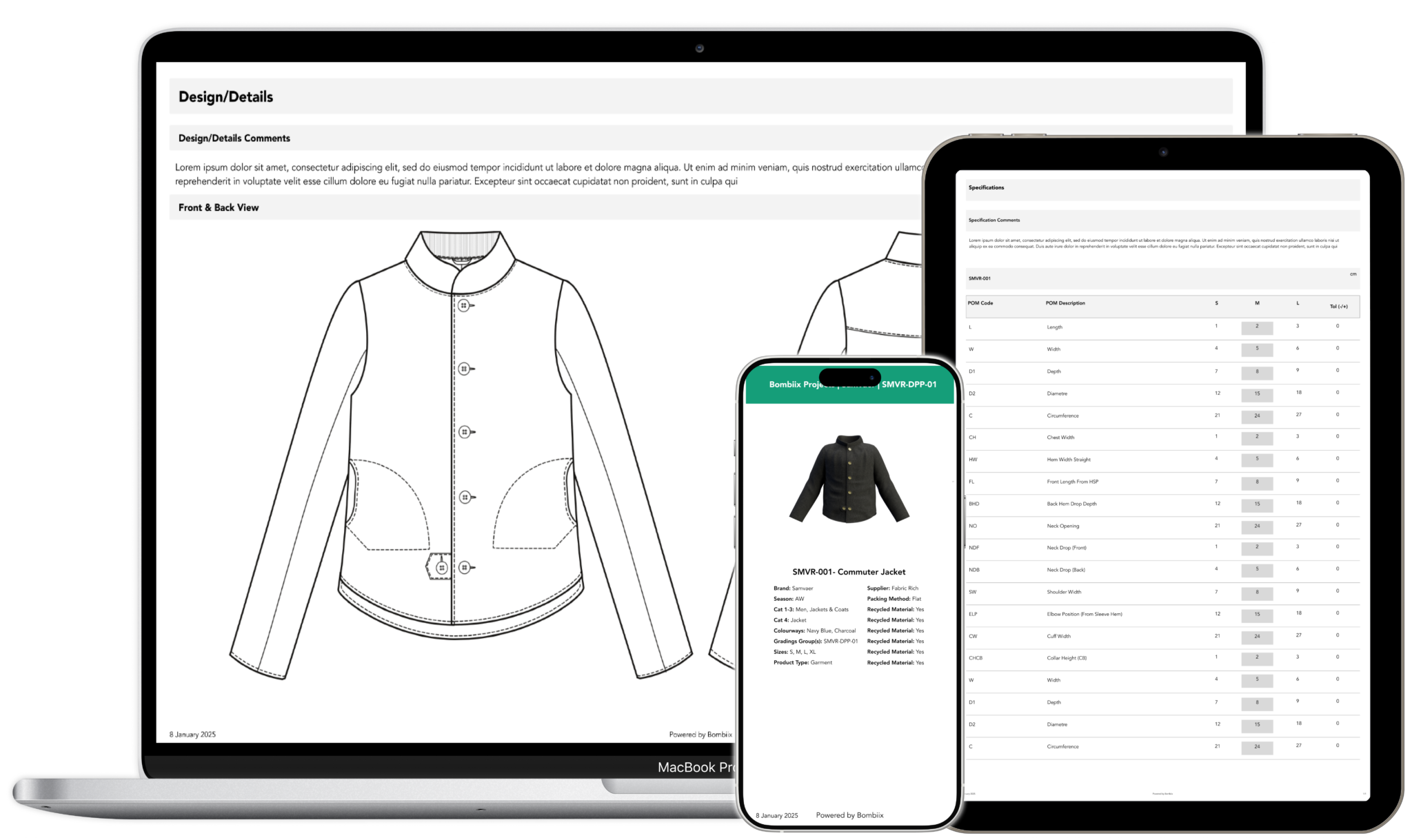
A technical fashion drawing is usually found as part of a tech pack. This document is used to show the factory the construction, design, and stitching details of a garment so they can put it together.
They’re also used in the development stages of a product’s life cycle, where the sketch is used as a placeholder for more detailed style documents. Technical flats could also be used on hangtags, in a product catalogue or even on a website.
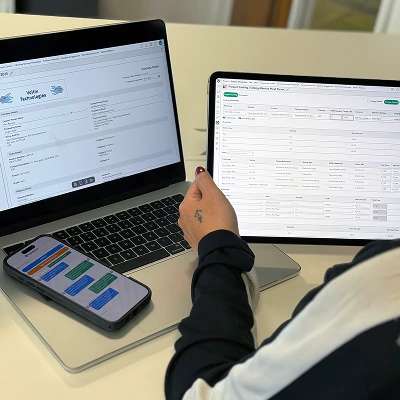
If you’re using a PLM like Bombiix you’ll find a whole host of useful tools to help with technical fashion drawings. It has a section to store and manage tech packs, including drawings, as well as tools to annotate your drawings all in one app.
What’s the difference between fashion flat sketches and fashion illustration?
These are two totally different styles of illustration. Fashion illustrations are all about capturing the feel of a design. They show how the finished product might look, often on a figure, with lots of colour and style.
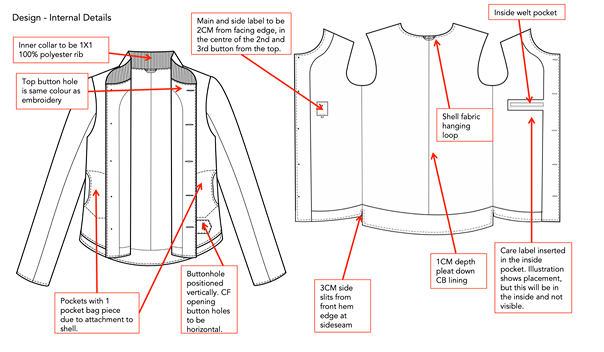
Technical sketches are much more precise. They’re there to show the details of a garment in a simple, easy-to-understand way. They usually include technical design details like stitching, tags and zipper placement.
Often, the fashion illustration comes first, usually from the designer. Then, technical flats are drawn out by a technical designer, to bridge the gap between the idea and the finished product.
The three rules of a technical fashion drawing
There are a few key points you need to know when you’re preparing production-ready flat sketches.
1. Be detailed
Make sure you include every design element in the sketch to guide the factory accurately. Spend time creating a comprehensive flat sketch to avoid unnecessary sample revisions.
2. Include multiple views
Front and back views should be standard in every flat sketch. It’s also worth including additional sketches to show the inside and functional elements of the garment. Providing multiple views and accessory details helps the factory understand the intended design and construction.
3. Keep it simple
Make sure you focus on clarity over artistic flair – this isn’t a fashion illustration. Stick to black and white sketches as they’re easier to understand and provide a clear vision of your design.
What software can you use to create technical fashion sketches?
Most fashion designers use Adobe Illustrator to create their flat sketches. It’s a powerful tool that lets you create a sketch from scratch and add details as required. You can also add colours and prints easily.
If you’re new to the industry, Illustrator can seem quite daunting. But the base functionality is actually reasonably simple and intuitive, and there are plenty of videos on YouTube to get you started.
The problem with Adobe Illustrator is that it’s expensive. If you don’t have access, don’t panic. There are several online vector editing tools which are great for creating flat sketches. They’re not as powerful as Illustrator, but they can often be easier to learn.
Repsketch is a great option that includes a vast amount of varied fashion flats in its library that you can repurpose.
Good technical flats are essential for any fashion brand
If your brand uses factories to manufacture garments, then producing clear, detailed technical drawings is vital to ensure an efficient production process. It’s a great skill to have in-house if you can, but you can always use freelance technical designers if you need to.