Solutions
About Bombiix PLM

Manage your entire product lifecycle, from initial concept and design through to development, manufacturing and bringing it to shelves.

Product Lifecycle Management
Solutions
About Bombiix DPP

Automate your Digital Product Passports in a way that’s affordable, scalable and removes the need for multiple complex systems.

Fashion - Digital Product Passport (DPPs)
Solutions
About Bombiix PIM

Unify all your product information with an automated PIM that ensures consistency and accuracy while reducing workload and manual data entry.

Fashion - Product Information Management (PIM)
Solutions
About Bombiix DAM

Organise, store and access all your digital assets into a single, easy-to-use hub so you can effortlessly find, share and use content whenever you need to.

Cosmetics - Digital Asset Management (DAM)
Purchase Orders

How to Create a Purchase Order: A Step-By-Step Guide for Product Teams

Creating a purchase order (PO) means preparing a legally binding document that outlines precisely what products or services you require, the agreed prices, delivery timeframes, and payment terms.

For product teams, accuracy is crucial. A complete and properly authorised PO establishes your quantities of stock, eliminates costly supplier misunderstandings, and provides the essential audit trail that your finance department requires.

This guide sets out each stage of the process, details the required information, and explains how to streamline your purchasing workflow from initial request to delivery.

PO header

Purpose

Authorises expenditure and confirms product specifications before manufacturing or delivery begins.

Key benefits

Prevents budget overspends, resolves disputes over quantities and unit costs, and simplifies three-way invoice matching.

Core steps

Identify needs, obtain internal budget approval, select a supplier, generate the unique PO document, and secure supplier acknowledgement.

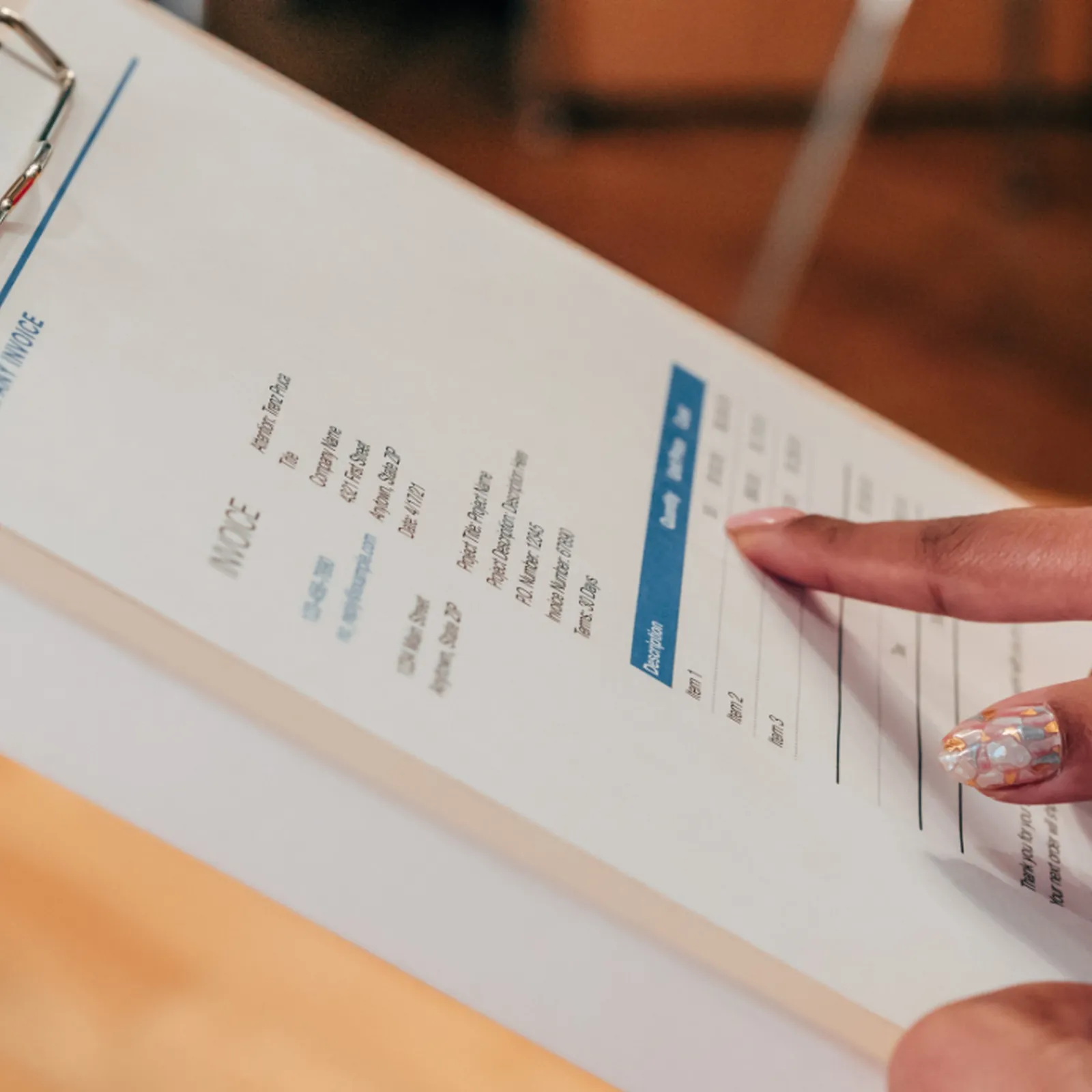
Purchase order

What is a purchase order?

A purchase order (PO) is a formal commercial document sent by a buyer to a supplier specifying the exact items, quantities, agreed prices, and delivery terms required. It serves as an official offer to purchase and becomes a legally binding contract once accepted and signed by the vendor.

For product teams, purchase orders provide three vital safeguards:

Ensures component, tooling, or prototyping expenditure is formally approved against your roadmap budget before money is committed.

Eliminates ambiguity around technical specifications, part numbers, lead times, and unit pricing, preventing costly production errors.

Establishes a verifiable paper trail that enables finance teams to perform accurate three-way matching against delivery notes and invoices.

What should a purchase order include?

Every purchase order must contain standard data fields to ensure legal validity, accurate supplier fulfilment, and seamless financial auditing.

PO header details

Header details embed the document into your internal accounting and tracking systems:

Unique PO number:
A distinct, sequential reference code essential for cross-referencing communications, invoices, and audit trails.

PO issue date:
The formal date the order is created, establishing lead times and contract timelines.

Revision or version number:
For tracking updates or amendments if specifications change, preventing duplicate ordering.

Requester details:
The buyer’s name, product department, and internal cost centre, ensuring correct budget allocation.


Supplier and delivery information

Clear logistical details prevent delivery delays, misplaced goods, or misdirected invoices:

Supplier credentials:
Full registered company name, registered business address, primary contact details, and VAT or company registration number.

Ship-to address:
The precise physical destination for delivery (e.g. manufacturing warehouse, local testing laboratory, or assembly line), including specific bay or delivery contact notes, and shipping terms.

Bill-to address:
Your company's registered finance address, which often differs from the physical delivery site; misaligning these causes payment processing delays.


Line item details

The body of the PO details the commercial exchange. Precise specificity here is vital for three-way matching against delivery notes and supplier invoices:

Item name and SKU/part number:
Exact manufacturer part codes or internal product identifiers.

Clear technical description:
Detailed specifications, revisions, or colour/material standards.

Quantity and unit of measure (UOM):
Explicit units (e.g. units, kg, metres, batch lots) to avoid discrepancies.

Unit price and line total:
Agreed cost per unit and the calculated row total before tax.

General Ledger (GL) or nominal code:
Directs the line item to the exact accounting bucket in your financial software.

Payment and delivery terms

Clearly defined terms help to establish expectations and reduce the likelihood of contractual disputes:

Payment terms:
Agreed credit terms (e.g. Net 30, Net 60, or payment upon delivery).

Billing currency:
Explicit currency specification (e.g. GBP, EUR, USD) to avoid exchange rate disputes.

Delivery terms (Incoterms):
Clarifies who bears freight costs, duties, and transit liability (e.g. DDP, FOB, Ex Works).

Specific delivery date:
A firm calendar deadline rather than vague terms like "ASAP", establishing a baseline for tracking lead times and supplier performance.


Order totals and authorisation

Financial figures must be fully itemised alongside formal sign-offs:

Cost breakdown:
Itemised net subtotal, applicable VAT or sales tax, agreed freight or shipping fees, and the final grand total.

Authorised signature:
Formal approval by a budget holder or procurement manager; manual processes require a physical or digital signature, whereas a PLM can manage approval rules internally.


How to create a purchase order: step by step

Creating a purchase order begins with an engineer needing prototypes, a designer requiring raw materials, or an operations lead ordering tooling, not inside the finance department. Following a structured, seven-step process enables spend to be controlled, without development schedules stalling.

Step 1: Identify the need and gather details

The process starts within the product or operations team when a material, component, or external service requirement is identified. Before drafting anything official, collect the necessary baseline data:


Exact part numbers, technical specifications, and quantities
The preferred supplier and current quotation
The project milestone and assigned internal budget line or cost centre


Gathering complete specifications early eliminates revisions later in the buying cycle.

Step 2: Raise a purchase requisition

Submit an internal purchase requisition (PR) to request permission to spend company funds. This step acts as an internal checkpoint, enforcing budget discipline and preventing unapproved "maverick" spending. In manual setups, this is typically handled via a paper form or dedicated email thread, whereas digital workflows capture this through dedicated procurement software.

Step 3: Get the requisition approved

The requisition routes to the designated budget holder, based on your company's delegation of authority rules. The approver then confirms if:

- The expense aligns with project milestones
- Sufficient funds remain within the assigned budget line
- The expenditure complies with corporate purchasing policies

Slow, ambiguous approval chains are one of the biggest bottlenecks for product teams. This makes pre-set approval thresholds essential to efficiency.

Step 4: Create and issue the purchase order

Once internal sign-off is granted, generate the formal purchase order using a standardised, locked template within your Product Lifecycle Management (PLM) or Enterprise Resource Planning (ERP) platform. Assign a unique, sequential PO number, populate all line items, terms, and delivery instructions, and dispatch the document directly to the supplier's sales or order-processing team. 

Tip: Using a uniform template prevents missing data fields and formatting discrepancies. Adding copies of important standard terms and conditions to the PO is recommended. These can be included at the bottom of each template.

Step 5: Supplier accepts the PO

A purchase order only becomes a legally binding contract once the supplier formally acknowledges and accepts it. The supplier will review lead times, pricing, and quantities, and may request adjustments to delivery dates or minimum order quantities (MOQs). Always secure written confirmation (such as a signed counter-copy or an official order acknowledgement) before assuming manufacturing or dispatch is underway.

Step 6: Receive goods or services

When the consignment arrives at your facility, the receiving team must inspect the delivery:

1. Cross-reference delivered items and batch quantities against the line items on the original PO.

2. Check for physical damage, defects, or missing documentation (such as certificates of conformity).

3. Log the verified items into your inventory system to generate an official Goods Received Note (GRN).

Step 7: Three-way match and payment

Before releasing funds, the accounts payable team conducts a three-way match by comparing three distinct documents:

- The original purchase order: What was ordered and the agreed unit prices.

- The goods received note: What was physically delivered and accepted.

- The supplier invoice: What the vendor is billing the company for.

If all quantities, part numbers, and figures align within agreed tolerances, finance approves and schedules the payment according to the stated credit terms. This final verification stage is where manual systems most frequently falter, as lost paperwork or unrecorded discrepancies can trigger payment delays and supplier friction.

Order received

Types of purchase order

Understanding the four primary purchase order formats helps product and operations teams select the right contractual setup for their procurement needs.

A standard PO is used for one-off transactions where quantities of stock, unit prices, technical specifications, and delivery dates are all fixed upfront. It is the most common format for product teams purchasing specific components, tooling, or materials for a defined production run.

A blanket PO establishes an ongoing commercial agreement with a single supplier for repeated purchases over a set period (typically 6 to 12 months) at agreed fixed prices. This setup streamlines administration for small-to-medium brands by allowing regular stock call-offs without having to negotiate new terms or raise individual POs every time.

A contract PO outlines the overarching legal terms, quality standards, and pricing frameworks agreed with a supplier, without committing to specific quantities or delivery schedules in advance. Product teams subsequently raise individual standard purchase orders against this master contract as production requirements evolve.

A service PO is designed to procure professional services or contractor support rather than physical components. Product teams use this when commissioning external testing laboratories, freight forwarders, tooling specialists, or independent design consultants, where payment is tied to milestones or hours worked rather than delivered stock.

Common purchase order mistakes and how to avoid them

Managing fast-moving product cycles across multiple suppliers can often lead to friction. When production schedules tighten, teams naturally look for shortcuts, but small administrative oversights can quickly cause delivery delays, budget disputes, and reconciliation headaches.

Addressing these recurring pitfalls with simple, repeatable habits keeps your supply chain running smoothly and protects your bottom line.

Messy files
Common purchase order mistakes

Using inconsistent templates

When engineers, designers, buyers, sourcing managers, and operations leads pull different document templates from local desktops or old email threads, errors inevitably follow. Mismatched layouts can omit vital details that make it difficult for finance teams to reconcile line items during invoice matching. This can create unnecessary audit exposure.

The fix: Use a single PO template across your organisation, or manage generation directly within a centralised platform. Standardising data fields guarantees that every order contains identical, audit-ready information regardless of who creates it. This can be handled by Bombiix PLM.

Approval step
Common purchase order mistakes

Skipping the approval step

In high-pressure development sprints, it is tempting to bypass internal sign-off and issue a PO directly to a supplier to "save time". This can introduce unbudgeted expenditure, distorted cash flow planning, and can remove a supplier’s accountability if delivered parts do not meet specification.

The fix: Implement lightweight, pre-defined approval thresholds based on spend levels. Automated routing allows routine, low-value orders to clear almost immediately, while reserving senior managerial review strictly for high-value commitments. This allows teams to work at speed without sacrificing financial discipline.

Spreadsheets on screen
Common purchase order mistakes

Poor visibility of PO status across the team

Relying on individual inboxes or fragmented spreadsheets makes it difficult to see which purchase orders are pending sign-off, officially accepted, partially fulfilled, or dangerously overdue. For product teams coordinating seasonal collections or multi-component assemblies, this lack of transparency often results in duplicate orders, unexpected production stoppages, and frantic supplier chasing.

The fix: Maintain a single, shared register of all active orders. Centralising PO statuses ensures product, operations, and finance teams share immediate visibility over lead times, delivery schedules, and committed spend across every tier of your supplier base. A PLM like Bombiix should be able to manage this with ease.

Handling purchase orders in Bombiix PLM

Bombiix PLM streamlines the purchase order process by pulling product, costing, and supplier data directly from your completed development workflow. Rather than manually copying line items into disconnected documents, the system converts your approved product specifications into legally robust, audit-ready purchase orders in just a few clicks. This eliminates repetitive admin, reduces formatting errors, and maintains an unbroken audit trail from prototype through to final delivery.

Step-by-step PO workflow in Bombiix

1. Select the approved costing and supplier

Once sample development, bills of materials (BOM), and cross-costing across suppliers are finalised, select the preferred vendor and cost profile. Bombiix instantly locks in the specifications, unit prices, and linked product data.

2. Calculate buy quantities and check MOQs

Using the integrated bottoms-up planning tools to determine order volumes, Bombiix gives instant visibility over whether planned quantities meet the supplier’s minimum order quantity (MOQ), preventing costly surprises.

3. Auto-populate purchase order templates

Choose your preferred layout from customisable PO templates. Bombiix auto-fills the vendor credentials, line items, quantities, agreed payment terms (e.g. 30 days or deposit on order), and shipping terms (such as FOB or Ex-Works dates). Multiple product lines with matching delivery windows can be consolidated into a single PO for efficiency.

4. Attach critical compliance documentation

Append essential operational files directly to the PO to ensure that suppliers acknowledge mandatory requirements alongside the order.

5. Issue and secure supplier acknowledgement

Transmit the PO directly via an access link or provide direct portal access, just like sharing a tech pack. Once acknowledged by the supplier, the PO becomes a binding contractual record of the transaction.

6. Track delivery via the critical path

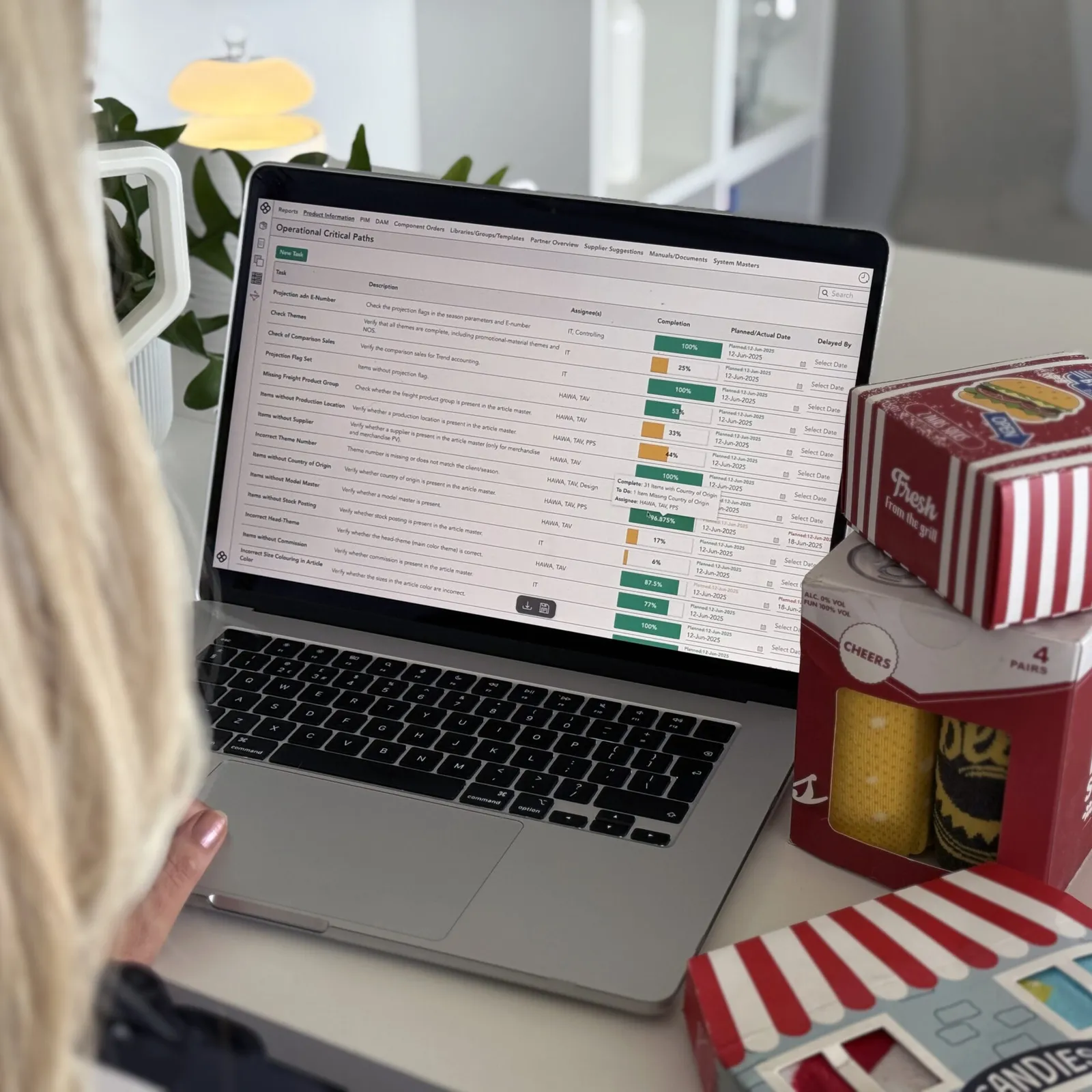
Monitor open orders across multiple suppliers in real time. The critical path function tracks target ex-factory dates and enables vendors to log live progress updates, ensuring potential delays are identified and resolved before shipment.

Handling purchase orders with an ERP

For more established brands, an Enterprise Resource Planning (ERP) platform acts as the core system of record for inventory, warehouse receipt, and financial transactions. In this setup, Bombiix PLM works alongside your ERP rather than replacing it, and helps to streamline the pre-production handoff while preserving strict financial controls.

This hybrid approach allows product developers to work natively with rich design and supplier data in Bombiix, while giving finance teams total authority over stock control, commitments, and accounts payable inside their ERP.

How the PLM-to-ERP workflow operates

1. Generate the purchase requisition in Bombiix

Product teams use Bombiix to assemble the initial order details. Because bills of materials, supplier agreements, and agreed costings already reside in the system, creating a purchase requisition requires zero duplicate data entry.

2. Transfer data to the ERP

The requisition data transfers into the ERP system either via direct API integration or a structured export.

3. Issue the formal PO in the ERP

The ERP formally raises and numbers the purchase order, commits the financial transaction against general ledgers, and dispatches the document to the vendor.

4. Sync reference numbers back to Bombiix

The official ERP-generated PO reference number feeds back into Bombiix. This enables the product and ops teams to track the order through production, monitor factory milestones, and manage target ex-factory dates using the Bombiix critical path tool.

5. Receive inventory and trigger invoice payment

When physical stock arrives at the warehouse, the goods are logged directly onto the ERP system. This updates live stock levels and flags the finance module that goods have arrived, clearing the supplier invoice for payment according to your agreed credit terms.

Operational Critical Paths in Bombiix scaled

Managing components with Bombiix PLM

Managing the raw materials and components that make up a finished product can present a distinct challenge for product teams. In many production models, brands do not hold physical component stock in their own warehouses; instead, they purchase raw materials directly from a nominated mill or vendor and arrange for delivery straight to the cut-and-sew garment factory.

This capability gives product and operations teams total control over upstream component costs and material availability without cluttering internal ERP systems with inventory they never physically hold.

Collaboration

Purchasing & tracking

Bombiix supports this multi-tiered supply chain workflow through dedicated component purchasing and tracking:

Brands can raise separate, formal purchase orders directly to raw material mills using standard, locked Bombiix templates, ensuring agreed commercial terms, pricing, and technical standards are maintained.

Component POs set the garment factory as the physical delivery destination ("ship-to"), removing unnecessary freight legs and handling costs.

Rather than leaving component consumption untracked, Bombiix provides visibility over how much raw material has been delivered to a manufacturer versus how much has been consumed across production runs (e.g. tracking fabric yardage across a run of 10,000 t-shirts).

By recording delivered quantities against bills of materials, the platform functions as an agile inventory tracker for external factory stock, preventing material shortages and identifying wastage before production stalls.

How Bombiix makes purchase order creation easier for product teams

For product and operations teams, managing purchase orders across disconnected spreadsheets, inbox threads, and outdated PDFs quickly leads to administrative bottlenecks. Bombiix replaces this fragmented workflow with a single, centralised platform designed specifically for product people.

By connecting purchasing directly to your completed designs, bills of materials, and supplier agreements, Bombiix turns what used to be hours of repetitive manual data entry into a clear, dependable process:

A single source of truth

Eliminates version-control errors by pulling locked product data, approved costings, and vendor details into standard PO templates.

Instant minimum order quantity (MOQ) visibility

Bottoms-up planning tools highlight whether planned buy quantities meet supplier thresholds before orders are dispatched.

Streamlined supplier collaboration

Share purchase orders and attach essential technical packs, packaging guidelines, and compliance terms in a single click.

Real-time critical path tracking

Maintain clear oversight of factory milestones, production updates, and target ex-factory dates without endless chasing.

Flexible system integration

Use Bombiix to issue binding orders directly or seamlessly hand over structured requisitions to your existing ERP system for financial reconciliation.

Try Bombiix

Take the friction out of product buying and keep your production runs on schedule.

Get started with Bombiix today

Ready to get started with Bombiix?
Let’s transform your product data together!

Contact Us
Lucy2
Woman working

Schedule a free personalised demo

Book a customised demo to see how Bombiix can streamline your product development process.

Book a Demo
Lucy2
Book a 60 minute demo compagnons

Bombiix empowers product teams with
cutting-edge, affordable technology that simplifies
processes, reduces admin, and enables smarter,
more ethical decisions.

Contact Support
info@bombiix.com +44 (0) 800 001 6455
Ergo
Bridgehead Business Park,
Meadow Rd,
Hessle
HU13 0GD
Get Directions
© 2026 bombiix. All rights reserved.
|
Back to Top