Solutions

About Bombiix PLM

Manage your entire product lifecycle, from initial concept and design through to development, manufacturing and bringing it to shelves.

Plm1
Solutions

About Bombiix DPP

Automate your Digital Product Passports in a way that’s affordable, scalable and removes the need for multiple complex systems.

Dpp1
Solutions

About Bombiix PIM

Unify all your product information with an automated PIM that ensures consistency and accuracy while reducing workload and manual data entry.

Pim1
Solutions

About Bombiix DAM

Organise, store and access all your digital assets into a single, easy-to-use hub so you can effortlessly find, share and use content whenever you need to.

Dam 001

Data Migration to PLM Software: A Stress-Free Path to Better Workflows

Migrating your product data to a new PLM doesn’t have to be a migration migraine. At Bombiix, we believe moving away from legacy systems or messy spreadsheets should leave you feeling energised, not exhausted. 

By focusing on data integrity, clear mapping and people-centric approach, we ensure your transition is fast, secure and tailored to the way your team actually works. 

We won’t pretend it’s always simple. But, with the right strategy and support, it’s absolutely manageable. 

Keep reading to find out how we do it:

Data transfer
Spreadsheets on paper

Why PLM data migration feels overwhelming (and why it shouldn’t)

The fear of adopting a new system isn’t always the software itself. Most teams we speak with are afraid of losing data, disrupting the team or spending months in an implementation black hole that delays important product development work. 

PLM is a significant switch - the data involved is the lifeblood of your business - so it’s only natural to be concerned. 

Going in without a clear strategy is your biggest risk. The complexity of the move is almost always manageable when it’s properly planned. 

Data sheet

Moving beyond the “big bang” vs phased approach

When it comes to migrating your data into a new PLM, there are broadly two routes you can take - and choosing the right one makes a real difference to how smoothly the transition goes. 

Big bang: You take all of your existing data and upload it into the new system in one go. In theory, this sounds appealing - you get a clean break and a fresh start. But in practice, it means a full halt on the everyday work in your business in order to get everything ready at once. Think: many weeks of preparation, a spike in resource costs and a high-pressure to make sure everything works from day one. 

Phased approach: At Bombiix, we see the phased approach work well for most teams. It gives you the time to do things properly without putting everything on hold. 

Collaboration

Identifying the right strategy for your product timeline

The best approach for your team depends on a few factors. 

1. Scale: If you have 300 SKUs, a single well-organised upload may be perfectly manageable. If you have 10,0000 SKUs, a phased approach is a smarter choice. 

2. Urgency: Some data is historical and won’t be needed in a future season. There’s no value in rushing that in. Focus first on the data that’s live and active - your current season, your in-development range - and bring the rest in as you go. 

3. Resource: Even smaller brands sometimes phase their migration simply because they do not have the headcount to tackle it all at once. The goal isn’t to migrate everything as fast as possible, it’s to migrate it accurately in a way that doesn’t derail the team. 

Preparing your data for a clean start

Here’s something we tell every new client: "we’ve never had a business come to us with 100% clean data." And that’s okay, it’s completely normal. 

But data preparation is one of the most important steps in any PLM migration. 

Moving messy data into a new system is almost a waste of time. It only gives you a messy new system. The migration process is your opportunity to get things right. 

Customise1

The art of the data audit: cleansing before you move

A data audit sounds intimidating, but at its core it’s about asking simple questions:

What data do we actually need?
What data is accurate?
Are there any duplicates?
Is any information outdated or inconsistent?

There’s no reason to bring data from several years back if you’re not going to use it. Get the active, relevant data first and review historical data on its own terms later.

For example, if you have three different ways of describing the same product type - leather bag, bag leather, bag made from leather - that inconsistency follows you into the new system, unless you address it now.

Good PLM onboarding is the perfect moment to standardise your language and make sure data means the same thing to everyone in the business.

Configuration and customisation 1

Eliminating duplicates and ‘junk’ data from legacy files

Duplicate entries and outdated SKUs lingering in the system undermine the confidence you have in your data. Before you migrate, remove anything that’s no longer active or relevant. Remove redundant entries and consolidate where the same thing has been recorded in multiple ways. 

One of the advantages of a properly structured PLM system like Bombiix is that it doesn’t allow random data to be added without meeting the parameters you’ve set up. Unlike spreadsheets, where anyone can add a new row or column with no rules attached, Bombiix gives you the structure to prevent duplicates and errors creeping back over time. 

Costings and P Os 1

Mapping your unique data sets to a modern stack

Once your data is cleaner, the next step is making sure it maps correctly into the new system’s structure. 

For example, the right format for product IDs and reference numbers, a clearly defined product hierarchy and any attributes or custom fields agreed on before the data goes in. 

Getting everyone aligned on the product hierarchy before upload is one of the biggest challenges we see, because it requires different departments to agree on a single structure. Do that work early, and the rest of the migration becomes much smoother.

The Bombiix difference: built-in intelligence, not hidden fees

We know how daunting it can feel to switch systems. We've seen the alternatives - the long implementation timelines, the ticketing queues, the features locked behind expensive tiers. Bombiix was built to be different.

Fast onboarding with zero set up fees

Implementation of legacy PLMs often takes around six months to a year to get up and running. 

With Bombiix, we get you up and running within months, sometimes weeks, and you’re supported by our team every step of the way - configuration, migration and training - so you’re not left to figure it out alone. 

Support that feels personal, not a ticketing queue

When you have a question, the last thing you need is to wait days for a generic reply. With Bombiix, you get real support from real people who understand your product processes and are invested in helping you succeed. 

We don’t use impersonal ticketing systems, just responsive, knowledgeable help whenever you need it, so your team stays moving and your products keep progressing. 

Secure, compliant and always in control

We know your product data is your competitive advantage. Bombiix gives you complete control over who sees what, with role-based permissions, full audit trails and enterprise-grade security built in. 

Every change is logged, every action is traceable, and your data stays exactly where it should be.

Step-by-step guide to a successful PLM migration

Every data migration is different, but to make sure everything goes as smoothly as possible, here’s how we approach it at Bombiix:

Fashion brand design team in a meeting

Phase 1: Assessment and landscape mapping

Before a single record is moved, we need to understand what you’re working with. 

This phase is about defining your data structure - what categories and hierarchies you need, how your products are organised, what attributes matter for your team. Think of it as drawing the map before you start the journey. 

We review your existing data together, look at what you have, identify any gaps or inconsistencies and advise on how to structure things so they’ll work cleanly inside of Bombiix. 

Data download

Phase 2: Data extraction and transformation

Now it’s time to get your data out of where it currently lives - maybe it’s spreadsheets, a legacy PLM, email attachments - and start shaping it for the new system. This is the pivoting and trialling phase: testing how your data maps across, identifying anything that doesn’t translate cleanly and making adjustments before the full move. 

We find that this step often surfaces things that weren’t obvious from the audit, such as formatting quirks, structural mismatches, data that exists in one system but not another. Working through it now means fewer surprises later. 

Data validation

Phase 3: Validation and trial runs

With your data shaped and mapped, the next step is doing controlled, targeted uploads. Rather than putting everything in at once, we bring data into the system in batches, validate it, check it looks right and resolve any issues before moving on. 

This is where the phased approach really shows its value. Uploading in a controlled way means errors are caught early, teams can sense-check their data in context and confidence builds as each section goes in cleanly. 

Training

Phase 4: Final go-live and team onboarding

Once your data is validated and the system is configured to your workflow, it’s time to go live. By this point, your team is already familiar with the system, the data looks right and day-to-day use can begin. 

Our team stays close during this phase, ready to answer questions, troubleshoot anything unexpected and make sure every user feels confident in the system from day one.

Overcoming common migration challenges

Here are our tips for overcoming common migration challenges:

Historical data

Transferring historical data

Historical data is what teams worry about most, but it links back to one question: how much do you actually need, and how clean is it? Old seasons, killed-off lines and inconsistently entered data don't need to come across on day one. Agree what's essential, clean it up and bring it in deliberately rather than wholesale. You'll thank yourself later.

Bom2

Managing complex BOM structures and design details

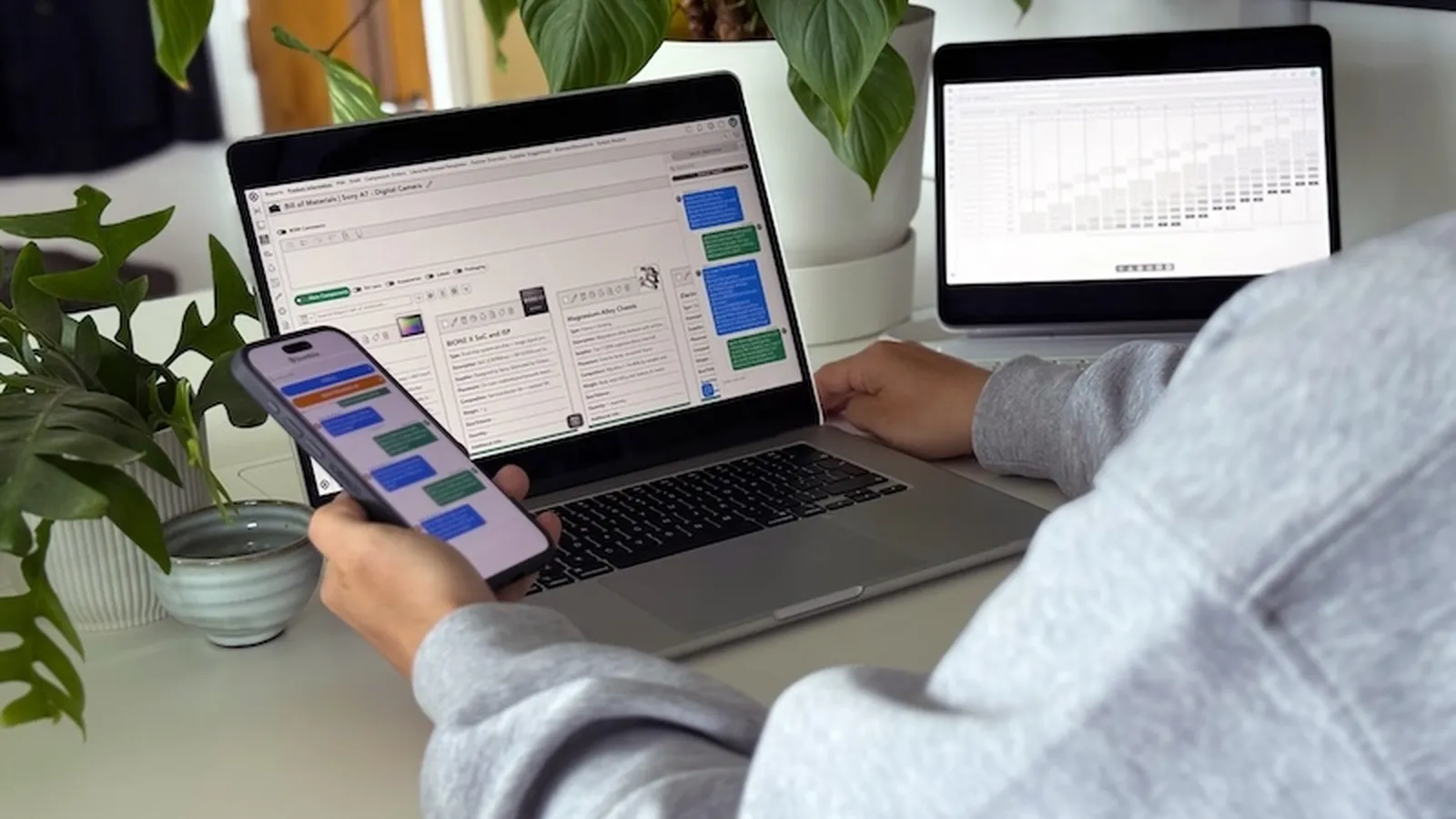
BOM data can be tricky to migrate, since legacy systems often hold it in a two-dimensional format. Bombiix uploads most cleanly in rows, so it's worth reviewing your structure with that in mind first. We also see BOM data that exists only on design sketches rather than in a structured format. That's common, and it's exactly what the migration process is for. Our team will help you capture and structure it before anything goes near the system.

Product teams using Product Information Management PIM and Product Lifecycle Management PLM software

Ensuring first-hand experience drives the transition

We don't just hand you instructions and walk away. We bring real product experience, because we know what good data looks like and what happens when it isn't right. When we review a new client's data ahead of onboarding, we work with you to spot where SKU structures need attention, where product IDs need reformatting, and where hierarchy needs agreeing. That experience shapes how you cleanse and organise your data, so it genuinely works once it's in Bombiix.

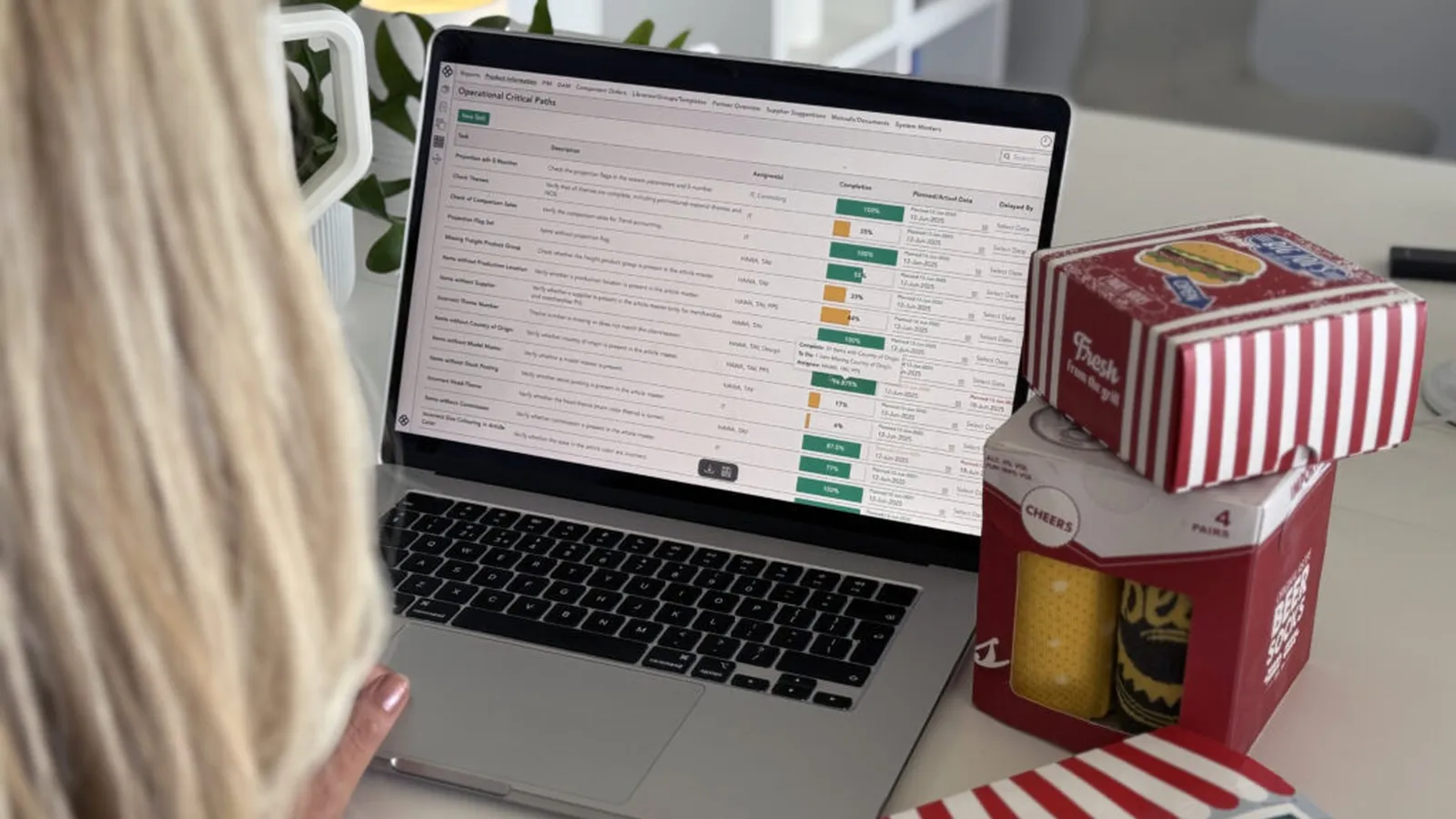
Operational Critical Paths in Bombiix 1024x768

Custom attributes: flexibility built for your business

No two businesses track the same information, whether that's who designed a product, which channel it sells through, or which factory made it. Standard PLM systems force you into rigid fields that rarely fit. Bombiix lets you create custom attributes configurable by product type and brand, so multi-brand groups can each have their own set on one platform. We've expanded available attributes from three to twenty, because every client is different, and the system should feel like yours.

Future-proofing your product lifecycle

A successful PLM migration goes beyond moving from A to B. See it as a chance to set up your product operations for where your business is going.

Dpp1

Sustainability and ESG visibility from day one

Sustainability reporting requirements are tightening across markets, so having the right data in the right place matters.

Bombiix is built for traceability from day one, not bolted on as an afterthought. You can capture supplier and factory energy intensity, record manufacturing processes and track material origin right through your supply chain, from Tier 1 manufacturers down to Tier 4 raw material sources. That traceability supports audit and compliance, and gives every team the visibility to make more responsible sourcing decisions. How deep you go is entirely up to you.

Collaborate better

Continuous innovation shaped by your feedback

We're constantly evolving the platform based on real feedback from the product teams using it every day, whether that's expanding custom attributes, improving data structures or building new capabilities for emerging industry needs. 

Your experience shapes what we build next. When you choose Bombiix, you're not just buying software, you're joining a platform that's genuinely committed to growing with you.

Data migration to PLM FAQs

Get started with Bombiix today

Ready to get started with Bombiix?
Let’s transform your product data together!

Contact Us
Lucy2
Woman working

Schedule a free personalised demo

Book a customised demo to see how Bombiix can streamline your product development process.

Book a Demo
Lucy2
Book a 60 minute demo compagnons

Bombiix empowers product teams with
cutting-edge, affordable technology that simplifies
processes, reduces admin, and enables smarter,
more ethical decisions.

Contact Support
info@bombiix.com +44 (0) 800 001 6455
Ergo
Bridgehead Business Park,
Meadow Rd,
Hessle
HU13 0GD
Get Directions
© 2026 bombiix. All rights reserved.
|
Back to Top